Relationships
See leads, clients, notes, follow-up, and daily priorities stay connected from the first conversation.
See the complete platform working together—from the first lead and signed contract to protected deadlines, listing marketing, automation, and reporting.
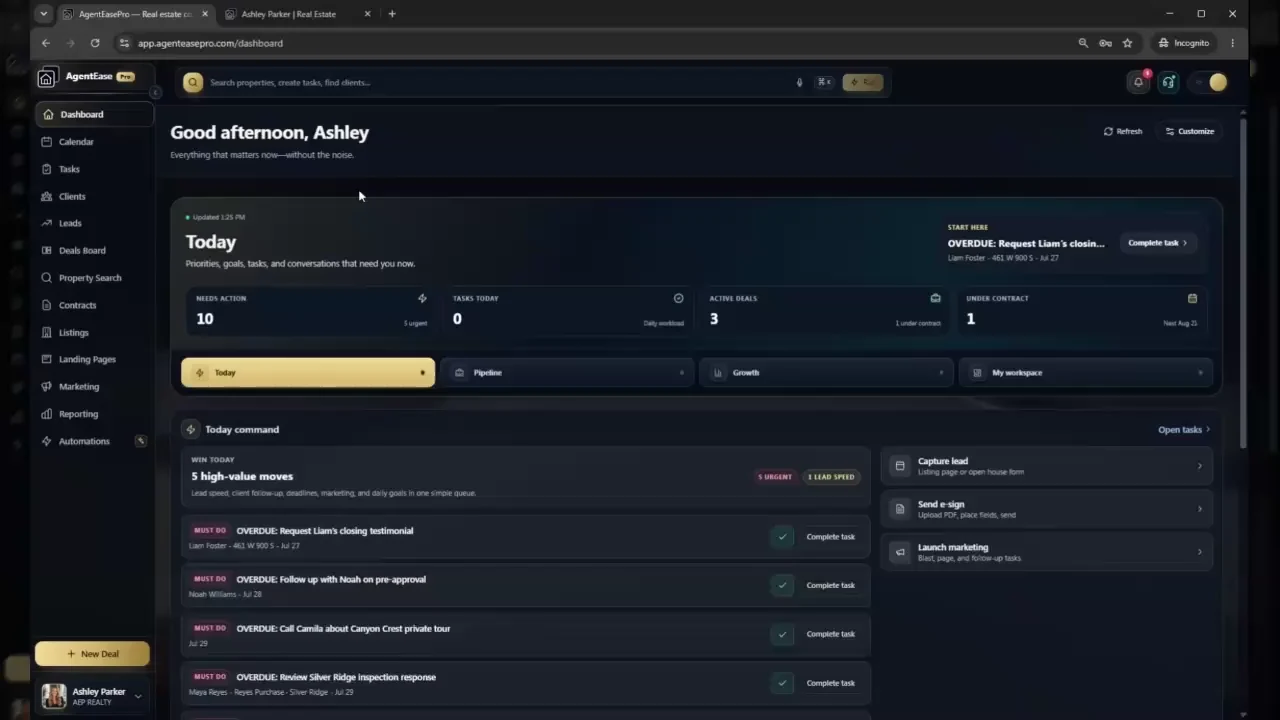
English captions are enabled by default. Choose a chapter to open the demo at that workflow.
No disconnected feature reel and no sales-call gate. Just the core workflows that help an agent move faster, protect every deal, and grow with clarity.
See leads, clients, notes, follow-up, and daily priorities stay connected from the first conversation.
Move deals through contracts, documents, e-signatures, milestones, and commissions in one workspace.
Keep deadlines, tasks, reminders, and deal risk visible before anything has a chance to slip.
Launch listings, run marketing, build automations, and see what is working through clear reporting.
The demo follows the platform from the daily command center through relationships, deals, contracts, marketing, automations, settings, and client-data tools. The summary below makes that information available in text as well as video.
See the daily workspace for priorities, tasks, communication, and work that needs attention.
Explore leads, clients, relationship context, stages, and follow-up in one connected CRM.
Review individual and team deals, pipeline stages, property context, and transaction visibility.
See contract packet preparation, signature workflows, documents, and transaction context.
Explore the website and property landing-page tools available inside the platform.
Review marketing workflows, audience activity, pipeline signals, and business reporting.
Build repeatable actions for listings, contracts, compliance, client retention, and at-risk files.
Configure team profiles, logos, colors, and the workspace experience.
Review IDX and website configuration while keeping the broader AgentEasePro workflow connected.
See client import and export settings designed to help users manage their business information.
This is a plain-language chapter summary, not a verbatim transcript. The video contains English captions for the spoken narration.
Start with the complete platform free for seven days. No credit card and no complicated setup.